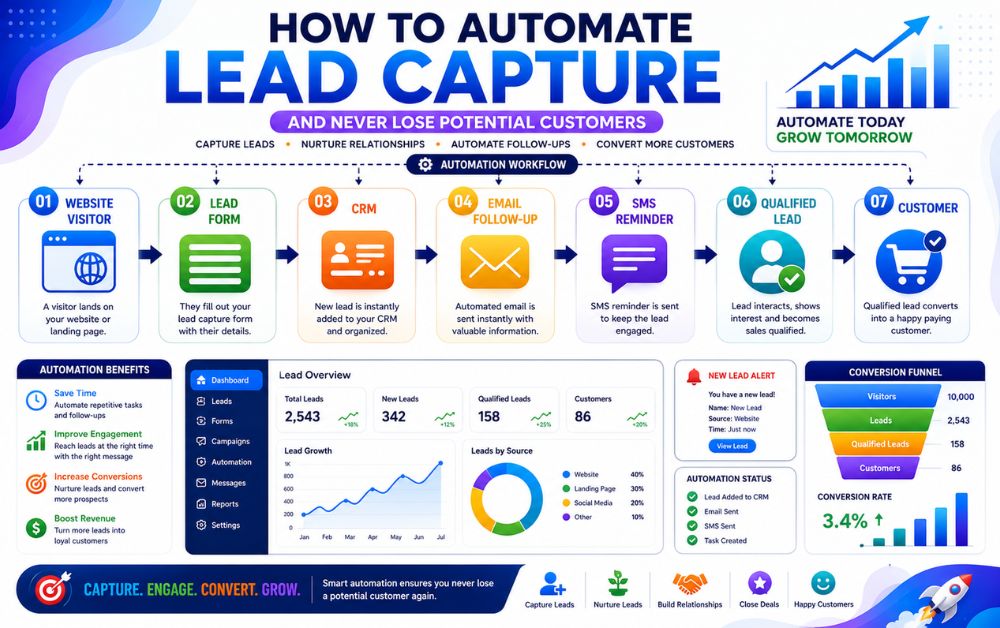
Every potential customer matters, but many businesses lose leads every day without realizing it. A visitor fills out a contact form, sends a message, requests a quote, or clicks an ad, yet no follow-up happens. Over time, these missed opportunities can result in lost revenue and slower business growth.
This is where lead capture automation becomes valuable. Instead of manually tracking inquiries from different sources, businesses can automatically collect, organize, and follow up with leads through a structured system. Whether a lead comes from a website form, landing page, social media campaign, or online directory, automation helps ensure that every inquiry receives immediate attention.
Automating lead capture not only saves time but also improves response speed, customer experience, and conversion rates. Small businesses can compete more effectively without increasing workload or hiring additional staff. In this guide, you’ll learn how to automate lead capture, prevent leads from slipping through the cracks, and create a reliable system that consistently turns prospects into customers.
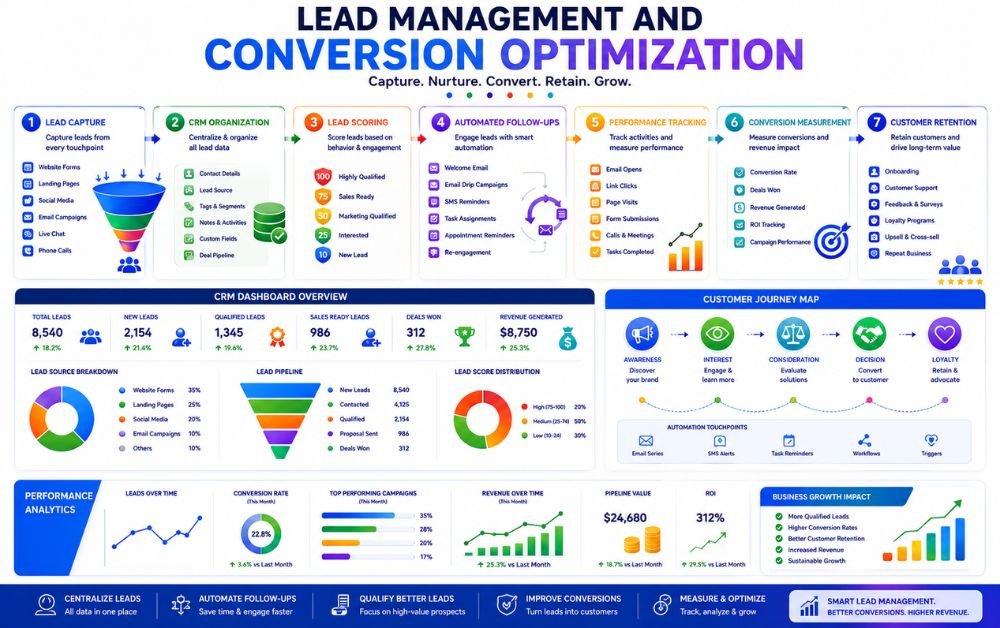
Lead capture automation is the process of automatically collecting, organizing, and managing potential customer information when they interact with your business. Instead of manually checking contact forms, emails, social media messages, or quote requests, automation ensures that every lead is captured and stored in a central system instantly.
When a visitor fills out a website form, downloads a resource, books an appointment, or submits an inquiry, their information is automatically transferred into a CRM or marketing platform. Automated workflows can then trigger immediate actions such as confirmation emails, SMS notifications, follow-up sequences, or task assignments for sales teams.
The main goal of lead capture automation is to prevent potential customers from being overlooked. Fast response times and consistent follow-ups often increase the chances of converting leads into paying customers. Businesses looking to improve their overall marketing systems should also explore Marketing Automation for Service Businesses: A Complete Guide to Scaling Operations. Many companies use GoHighLevel to automate lead collection, customer communication, and follow-up management from a single platform.
Why Businesses Lose Leads
Many businesses invest time and money to generate leads but still lose potential customers because they lack a reliable follow-up process. One of the most common reasons is slow response times. When prospects submit an inquiry and do not receive a quick response, they often move on to a competitor.
Another major problem is manual lead management. Leads arriving from websites, social media platforms, online directories, and advertising campaigns can easily become scattered across different systems. Without a centralized process, important inquiries are often missed or forgotten.
Businesses also lose leads because follow-ups are inconsistent. A prospect may show interest today but require multiple touchpoints before making a purchase decision. Without automation, maintaining consistent communication becomes difficult.
Companies facing these challenges can benefit from reading Local Business Marketing Automation: How to Generate and Follow Up With Leads Automatically. Many businesses use HubSpot to centralize lead management and improve response times across multiple marketing channels.
Benefits of Automating Lead Capture
Automating lead capture helps businesses respond faster, improve organization, and increase conversion rates. Instead of manually tracking inquiries, automation collects lead information instantly and stores it in a centralized system for easy access.
One major benefit is improved response speed. Automated emails, SMS messages, and notifications can be triggered immediately after a lead submits a form or inquiry. Quick responses help keep prospects engaged and reduce the risk of losing them to competitors.
Automation also improves consistency. Every lead receives the same follow-up experience regardless of when they enter the system. This creates a more professional customer experience while reducing manual workload.
Another advantage is scalability. Businesses can manage larger volumes of leads without hiring additional staff or increasing administrative work.
Organizations interested in improving customer management should also explore Best CRM for Small Business Automation: 9 CRM Features That Save Time and Increase Sales. Many businesses use ActiveCampaign to automate lead capture, segmentation, and customer communication workflows.
How Automated Lead Capture Works
Automated lead capture follows a simple process designed to collect and manage customer inquiries without manual intervention. The process begins when a potential customer interacts with a business through a website form, landing page, social media advertisement, appointment booking form, or online directory listing.
Once the prospect submits their information, the system automatically records the lead and transfers the data into a CRM or marketing automation platform. Instead of relying on spreadsheets or manual data entry, information is organized instantly and made available for follow-up activities.
The next step involves automation workflows. These workflows can trigger confirmation emails, SMS messages, appointment reminders, internal notifications, or lead assignments. Depending on the setup, leads may also be segmented based on interests, services requested, or location.
As prospects continue interacting with emails, landing pages, and offers, the system tracks engagement and updates lead records automatically. This provides valuable insights into customer behavior and helps businesses prioritize high-quality opportunities.
Businesses looking to create stronger automation systems should also read Marketing Automation vs CRM: Which One Does Your Business Need First?. Many organizations use GoHighLevel to combine lead capture, CRM management, automated follow-ups, and customer communication within a single platform.
Top Lead Sources You Should Automate
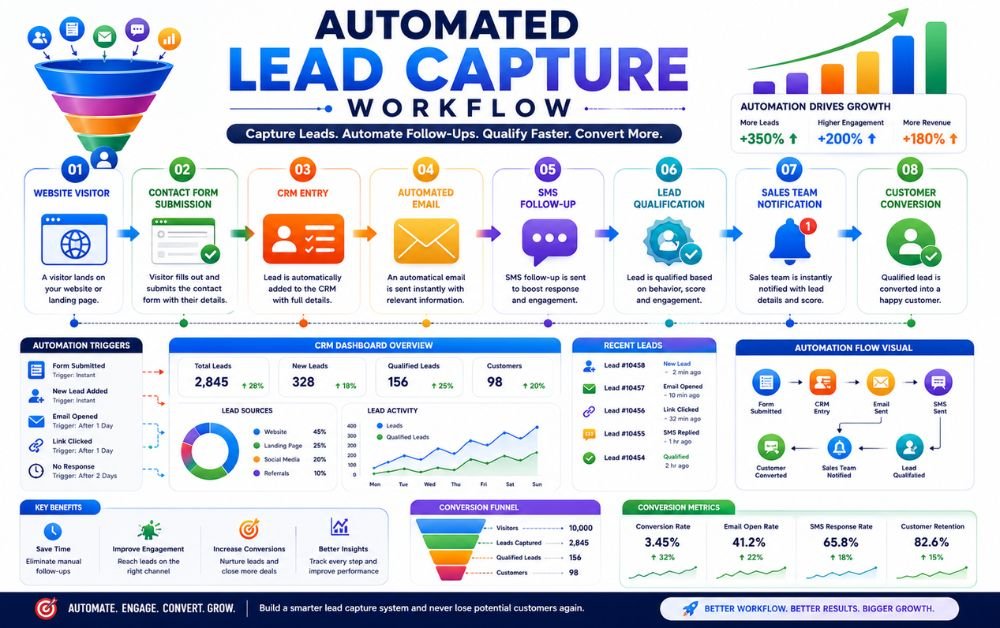
Not all leads come from the same place. Modern businesses receive inquiries from websites, landing pages, social media platforms, and local search listings. Without automation, tracking these leads manually becomes difficult and increases the risk of missed opportunities.
Automating lead sources ensures every inquiry is captured, stored, and followed up consistently. This improves response times, customer experience, and conversion rates. Businesses should prioritize automating the channels that generate the highest number of qualified leads.
Companies looking to strengthen their lead generation systems should also explore How to Generate Leads for Local Businesses. Many businesses use GoHighLevel to collect and manage leads from multiple sources through a single dashboard.
Website Forms
Website contact forms are often the primary source of business inquiries. Automating form submissions ensures every lead is instantly stored, assigned, and followed up without manual effort. Businesses interested in improving lead management can also read Best CRM for Small Business Automation: 9 CRM Features That Save Time and Increase Sales.
Landing Pages
Landing pages are designed to convert visitors into leads through targeted offers and clear calls to action. Automated lead capture ensures prospects immediately enter follow-up workflows after submitting their information. Many marketers use ClickFunnels to build landing pages focused on lead generation and conversions.
Facebook Lead Forms
Facebook Lead Forms allow businesses to collect customer information directly within Facebook advertisements. Automating these submissions helps prevent delays and ensures prospects receive immediate communication. Many businesses connect Facebook leads to HubSpot or other CRM systems to streamline follow-up activities.
Google Business Profile
Google Business Profile generates valuable local leads through calls, messages, and service inquiries. Automating these interactions helps businesses respond faster and improve customer experience. Companies focused on local marketing often use Vendasta solutions to manage and organize leads generated through local search channels.
Choosing the Right Lead Capture Software
Selecting the right lead capture software depends on your business goals, budget, and lead volume. Some businesses only need basic form collection and email automation, while others require CRM integration, appointment booking, sales pipelines, and advanced follow-up workflows.
When evaluating software, look for features such as lead capture forms, automation workflows, CRM connectivity, reporting, and customer communication tools. Ease of use is equally important because complicated systems often reduce adoption and create unnecessary management challenges.
Small businesses should prioritize platforms that can grow with their needs rather than switching tools frequently. An all-in-one solution often reduces costs and simplifies operations.
Businesses comparing available solutions should also review Affordable Marketing Automation Tools: 11 Smart Options for Growing Businesses. Many service businesses choose GoHighLevel because it combines lead capture, CRM management, automation, appointment scheduling, and customer communication within a single platform.
Creating High-Converting Lead Capture Forms
A lead capture form is often the first step in converting a visitor into a potential customer. Even small improvements in form design can significantly increase conversion rates.
The most effective forms are simple and easy to complete. Request only essential information such as name, email address, phone number, or service requirements. Long forms often discourage visitors and reduce submissions.
Clear headlines, strong calls to action, and trust-building elements can also improve results. Visitors should immediately understand what they will receive after submitting their information. Mobile-friendly design is equally important because a large percentage of leads come from smartphones.
Businesses looking to improve lead generation performance should explore Local Business Marketing Automation: How to Generate and Follow Up With Leads Automatically. Many marketers use ClickFunnels to create optimized lead capture forms and landing pages that improve conversion rates.
Connecting Lead Capture to Your CRM
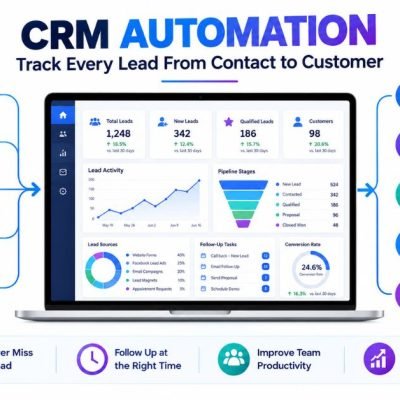
Capturing leads is only the beginning. To manage opportunities effectively, lead information should automatically flow into a CRM where customer interactions, follow-ups, and sales activities can be tracked.
CRM integration eliminates manual data entry and ensures every lead is stored in a central location. Sales teams can view customer details, assign tasks, schedule follow-ups, and monitor pipeline progress without switching between multiple systems.
This connection also improves visibility into the customer journey. Businesses can identify lead sources, measure conversion rates, and understand which marketing channels generate the best results.
Organizations focused on improving sales processes should also read Marketing Automation vs CRM: Which One Does Your Business Need First?. Many businesses use HubSpot CRM to organize lead data, automate follow-ups, and maintain complete visibility into customer relationships.
Building Automated Follow-Up Systems
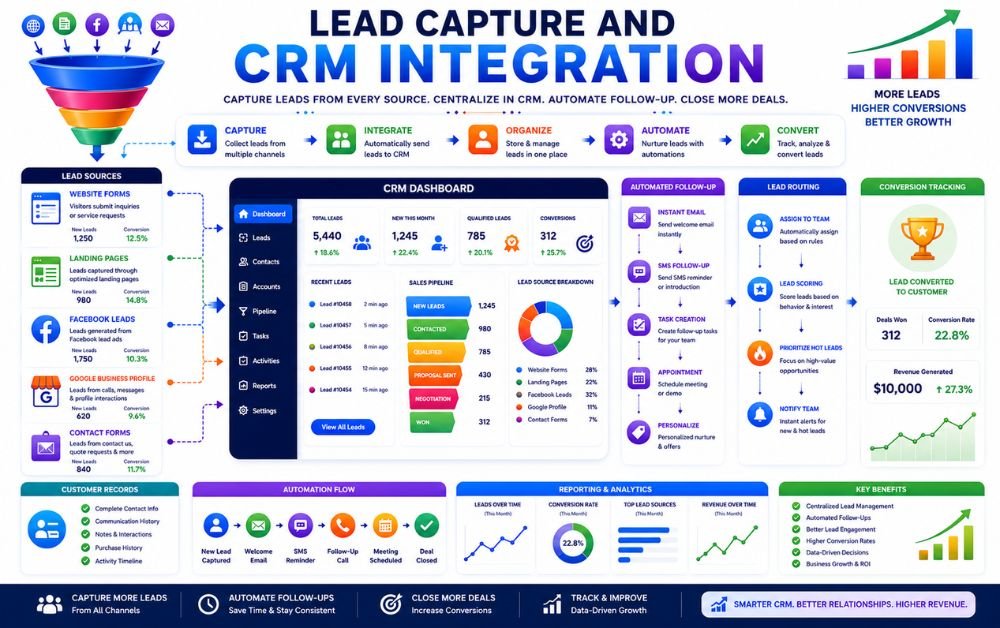
Capturing a lead is only the first step. Without a follow-up system, many potential customers lose interest or choose a competitor before making a purchase decision. Automated follow-up systems ensure every lead receives timely communication without requiring manual effort.
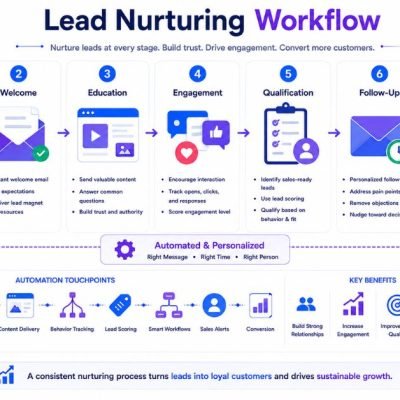
A well-designed system can send welcome emails, appointment reminders, SMS notifications, and nurturing messages automatically based on customer actions. This improves response speed, creates a better customer experience, and increases conversion rates.
Automation also helps businesses maintain consistent communication with large numbers of leads while reducing administrative workload. Companies looking to improve customer engagement should also explore Marketing Automation for Service Businesses: A Complete Guide to Scaling Operations. Many businesses use ActiveCampaign to create automated follow-up workflows that keep leads engaged throughout the buying journey.
Email Follow-Ups
Email follow-ups help businesses stay connected with prospects after an inquiry or form submission. Automated sequences can deliver helpful information, answer common questions, and build trust over time. Businesses can learn practical implementation strategies from How I Automated My Email Follow-Ups in Systeme.io and Saved 6 Hours Every Week.
SMS Follow-Ups
SMS messages often achieve higher open rates than email and are useful for reminders, confirmations, and quick updates. Automated SMS communication helps businesses respond faster and improve customer engagement. Many companies use Brevo to combine email and SMS automation within a single communication platform.
Appointment Booking
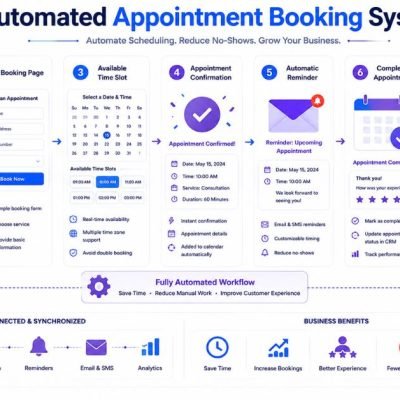
Automated appointment booking allows prospects to schedule consultations or service calls without manual coordination. Confirmation messages and reminders reduce no-shows while improving customer convenience. Many service businesses use Calendly integrations to simplify scheduling and automate appointment management.
Lead Scoring and Qualification Automation
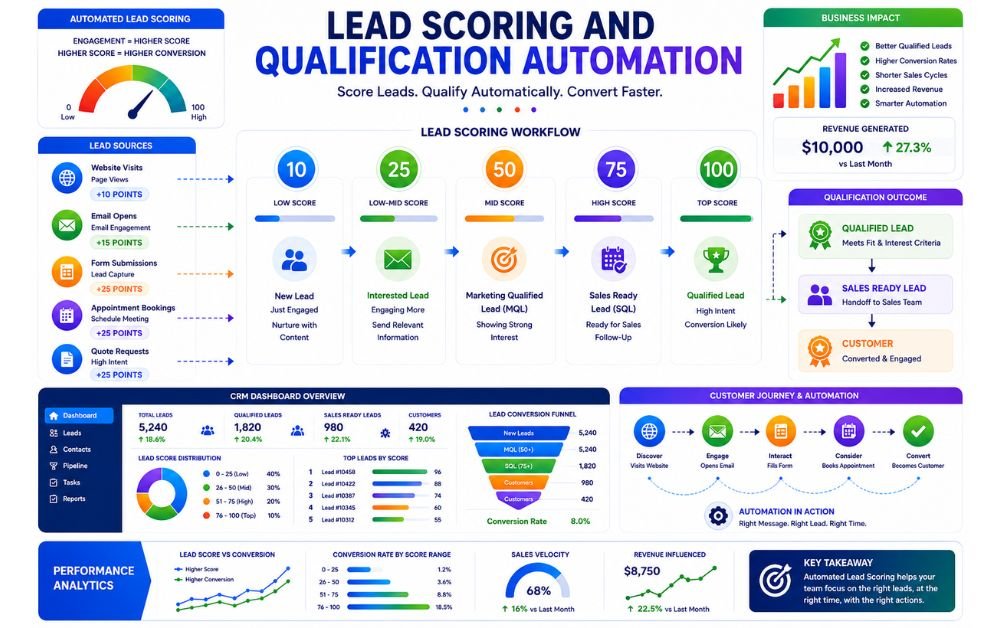
Not every lead has the same level of interest or buying intent. Lead scoring and qualification automation help businesses identify which prospects are most likely to become customers so sales teams can focus on the best opportunities.
Lead scoring works by assigning points based on specific actions and behaviors. For example, visiting important pages, downloading resources, opening emails, booking appointments, or requesting a quote can increase a lead’s score. Higher scores often indicate stronger purchase intent.
Automation can also qualify leads based on criteria such as location, service requirements, company size, or budget. This reduces time spent on unqualified prospects and improves sales efficiency.
Businesses looking to improve customer management should also explore Best CRM for Small Business Automation: 9 CRM Features That Save Time and Increase Sales. Many companies use HubSpot to automate lead scoring, qualification, and customer segmentation for more effective sales and marketing processes.
Tracking Lead Performance and Conversions
Capturing leads is important, but measuring performance is what helps businesses improve results over time. Tracking lead performance allows businesses to understand where leads come from, how they interact with marketing campaigns, and which sources generate the highest conversions.
Important metrics include lead volume, form conversion rates, email engagement, appointment bookings, response times, and customer conversion rates. Monitoring these numbers helps identify strengths and weaknesses within the lead capture process.
Businesses should regularly review performance reports and make adjustments based on real data rather than assumptions. Small improvements in response speed, follow-up frequency, or lead qualification can significantly increase conversions.
Companies interested in improving marketing performance should also explore Marketing Automation vs CRM: Which One Does Your Business Need First?. Many businesses use GoHighLevel reporting tools to track lead activity, conversion rates, and customer journeys from a single dashboard.
Common Lead Capture Mistakes to Avoid
Many businesses invest in lead generation but still lose opportunities because of common mistakes. One of the biggest errors is responding too slowly to inquiries. Prospects often contact multiple businesses, and delayed responses can result in lost sales.
Another mistake is collecting leads without a follow-up process. Capturing contact information alone does not generate revenue. Businesses must consistently nurture leads through email, SMS, or direct communication.
Complicated forms are another common problem. Asking for too much information can reduce conversion rates and discourage submissions. Businesses should focus on simplicity and only request essential details.
Ignoring lead tracking is equally risky. Without performance data, it becomes difficult to identify successful marketing channels and optimize campaigns.
Businesses looking to strengthen lead generation systems should read Local Business Marketing Automation: How to Generate and Follow Up With Leads Automatically. Many marketers use HubSpot best practices to improve lead management and conversion performance.
Best Practices for Long-Term Success
Successful lead capture automation requires continuous improvement rather than a one-time setup. Businesses should regularly review workflows, update forms, test follow-up sequences, and monitor performance metrics to ensure consistent results.
Speed is one of the most important factors. Automated responses should be triggered immediately after a lead submits information. Quick communication increases engagement and improves the likelihood of conversion.
Businesses should also focus on lead quality instead of lead quantity. Attracting the right prospects often produces better results than generating large numbers of unqualified leads. Consistent nurturing and personalized communication help build trust and strengthen customer relationships over time.
Companies looking to create scalable systems should also explore Affordable Marketing Automation Tools: 11 Smart Options for Growing Businesses. Many businesses rely on ActiveCampaign to automate lead nurturing, segmentation, and long-term customer communication strategies.
FAQs
Lead capture automation is the process of automatically collecting, organizing, and managing lead information from sources such as websites, landing pages, social media, and online directories. It helps businesses respond faster and reduce missed opportunities.
Many businesses lose leads because of slow response times, manual follow-ups, poor organization, and inconsistent communication. Without automation, important inquiries can easily be overlooked or forgotten.
Most businesses should start by automating website forms, landing pages, Facebook Lead Forms, and Google Business Profile inquiries. These channels often generate the highest number of leads and benefit most from immediate follow-up.
Yes. A CRM helps store lead information, track customer interactions, manage follow-ups, and monitor sales opportunities. CRM integration makes lead capture automation more effective and organized.
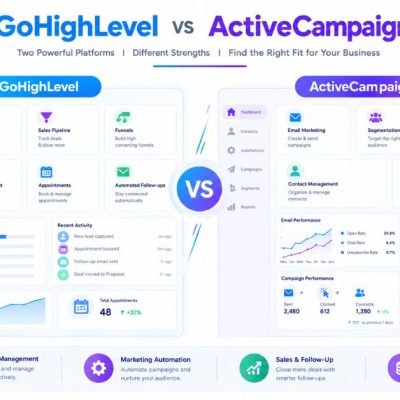
The best solution depends on business needs. Popular options include GoHighLevel, HubSpot, ActiveCampaign, Brevo, and Zoho One. Businesses should choose a platform that fits their budget, lead volume, and automation requirements.
Final Verdict
Lead capture automation helps businesses collect, organize, and follow up with potential customers without relying on manual processes. By automating lead collection, CRM integration, follow-ups, and qualification, businesses can improve response times, increase conversions, and prevent valuable opportunities from slipping away.
The most successful businesses treat lead management as an ongoing system rather than a one-time task. With the right software and workflows in place, every inquiry can be tracked and nurtured consistently. Whether you generate leads through websites, landing pages, social media, or local search, automating lead capture creates a stronger foundation for sustainable business growth.