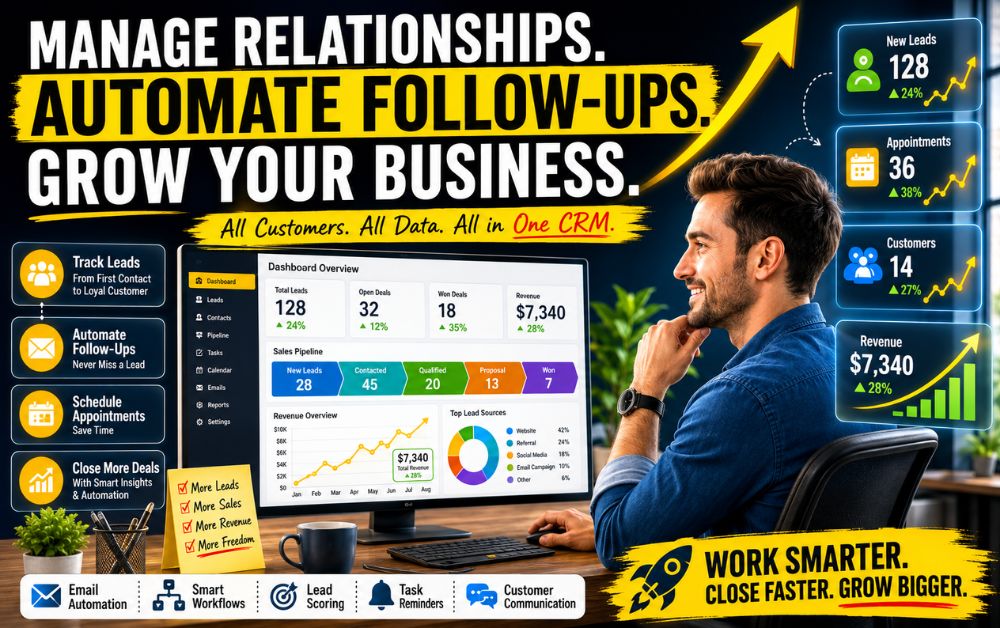
Best CRM for Small Business Automation has become an essential solution for businesses that want to manage leads more efficiently, improve customer relationships, and reduce the amount of time spent on repetitive administrative tasks.
Many small businesses lose valuable opportunities not because of poor products or services, but because customer information becomes scattered across emails, spreadsheets, notebooks, and multiple applications. As inquiries increase, keeping track of conversations, follow-ups, appointments, and sales opportunities becomes increasingly difficult.
This is where CRM automation creates a significant advantage.
A modern Customer Relationship Management (CRM) system helps businesses organize customer data, automate repetitive tasks, and ensure every lead receives timely attention. Instead of manually tracking prospects, business owners can build automated processes that capture leads, schedule follow-ups, assign tasks, and move opportunities through the sales pipeline.
The result is a more organized business, faster response times, and a better customer experience.
Whether you’re running a local service business, agency, consulting practice, coaching business, or growing startup, the right CRM can help reduce administrative work while improving sales performance.
In this guide, you’ll discover the most important CRM automation features, learn how automated workflows improve efficiency, compare popular CRM platforms, and identify the best solution for your business needs.
Generating leads is only the first step in the sales process. The real challenge begins when businesses need to organize, track, and follow up with those leads consistently. Many small businesses start with simple systems such as spreadsheets, email folders, sticky notes, or manual reminders. While these methods may work initially, they often become difficult to manage as lead volume increases.
One common problem is the lack of a centralized system. Customer inquiries may arrive through websites, social media, phone calls, contact forms, and email. Without proper organization, important conversations can easily get overlooked or forgotten.
Another challenge is inconsistent follow-up. Studies have consistently shown that responding quickly to leads increases the likelihood of conversion. However, business owners and small teams are often busy managing operations, serving customers, and handling daily responsibilities. As a result, follow-ups are delayed or missed entirely.
Manual data entry also creates inefficiencies. Repeatedly updating customer information, scheduling reminders, and tracking conversations consumes valuable time that could be spent on revenue-generating activities.
As businesses grow, these small inefficiencies begin to compound. Missed opportunities, slower response times, and inconsistent communication can directly impact sales performance and customer satisfaction.
This is why many growing businesses eventually adopt CRM automation—to create a structured system that ensures every lead receives proper attention and no opportunity slips through the cracks.
The Real Cost of Missed Follow-Ups and Lost Opportunities
Most small businesses focus heavily on generating new leads, but many underestimate the financial impact of poor follow-up processes. A lead that never receives a response, a missed callback, or a delayed email can quickly become a lost sales opportunity.
Today’s customers expect fast communication. When someone submits an inquiry, requests a quote, or asks for more information, they are often evaluating multiple businesses at the same time. If a competitor responds first, the prospect may make a decision before your business even has a chance to engage.
The cost of missed follow-ups extends beyond individual sales. Inconsistent communication can damage trust, reduce customer confidence, and create a negative first impression. Even interested prospects may lose interest if they feel ignored or forgotten.
Manual follow-up systems also create hidden operational costs. Business owners and team members spend valuable hours searching for customer information, checking spreadsheets, reviewing emails, and setting reminders. These repetitive tasks reduce productivity and limit the time available for serving customers or growing the business.
As lead volume increases, these problems become more noticeable. What starts as an occasional missed opportunity can gradually develop into a significant revenue leak.
Businesses that implement structured CRM processes and automated follow-up systems are often able to respond faster, maintain consistent communication, and maximize the value of every lead they generate. Over time, these improvements can have a measurable impact on sales performance and long-term business growth.
How CRM Automation Simplifies Daily Operations
Running a small business involves dozens of repetitive tasks every day. Responding to inquiries, updating customer records, scheduling follow-ups, tracking sales conversations, and managing appointments can quickly consume valuable time. As the business grows, these responsibilities become increasingly difficult to manage manually.
CRM automation helps simplify daily operations by creating structured workflows that handle routine tasks automatically. Instead of manually entering customer information into spreadsheets, leads can be captured and organized instantly within the CRM. Customer interactions, notes, and communication history are stored in one place, making information easy to access when needed.
Automation also improves consistency. Follow-up emails, appointment reminders, task notifications, and lead nurturing sequences can be triggered automatically based on customer actions. This reduces the risk of missed opportunities while ensuring every prospect receives timely communication.
Another major advantage is visibility. Business owners can monitor sales pipelines, track lead progress, and identify bottlenecks without spending hours reviewing multiple systems. Team members can collaborate more effectively because customer data remains centralized and updated in real time.
By reducing manual work, CRM automation allows businesses to focus more on customer relationships, service delivery, and revenue-generating activities. The result is improved efficiency, faster response times, and a smoother customer experience throughout the entire sales process.
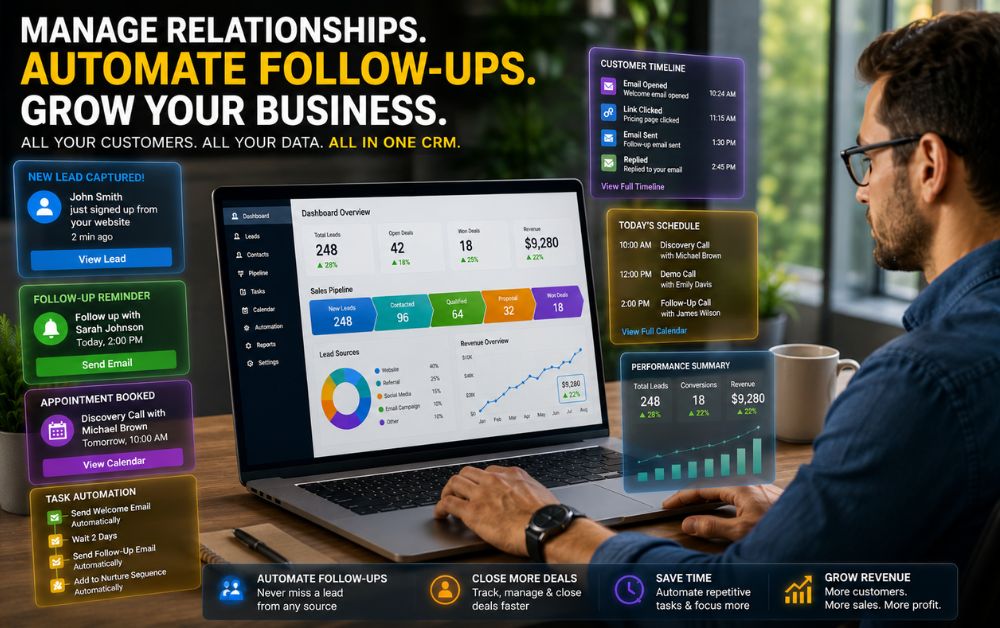
9 CRM Features That Save Time and Increase Sales
Not all CRM platforms deliver the same value. While some focus primarily on contact storage, the best CRM solutions help automate processes, improve team productivity, and create a more consistent customer experience. When evaluating CRM software, these are the most important features small businesses should prioritize.
Lead Capture Automation
Lead capture automation automatically collects inquiries from websites, forms, landing pages, and other marketing channels. This eliminates manual data entry and ensures new leads enter the sales pipeline immediately.
Contact Management
A centralized contact database keeps customer information organized and easily accessible. Businesses can track conversations, purchase history, notes, and communication records from a single location.
Automated Follow-Ups
Consistent follow-up is essential for converting leads into customers. CRM automation can trigger emails, reminders, and communication sequences automatically, reducing the risk of missed opportunities.
Pipeline Tracking
Sales pipelines provide a visual overview of where prospects are in the buying journey. This helps teams prioritize opportunities and identify bottlenecks before they impact revenue.
Appointment Scheduling
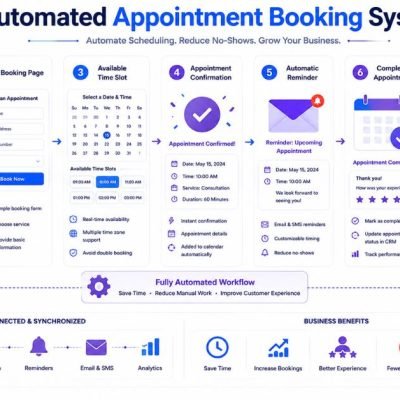
Integrated scheduling tools simplify the booking process and reduce administrative work. Automated confirmations and reminders also help decrease no-shows.
Email Automation
CRM systems with email automation can send welcome messages, nurture campaigns, follow-ups, and customer updates without requiring manual effort.
Task Reminders
Automated reminders help teams stay organized by notifying users about important calls, meetings, deadlines, and follow-up actions.
Reporting & Analytics
Real-time reporting provides valuable insights into lead sources, sales performance, conversion rates, and customer activity, helping businesses make informed decisions.
Team Collaboration
A shared CRM environment improves communication between team members by keeping customer information, updates, and activities visible across the organization.
Together, these features help businesses save time, improve efficiency, and create a more scalable sales process.
Building a Simple Customer Journey Inside Your CRM
A CRM becomes significantly more valuable when it is used to create a structured customer journey rather than simply storing contact information. Every prospect who enters your business follows a series of steps before becoming a customer, and a well-organized CRM helps manage that journey efficiently.
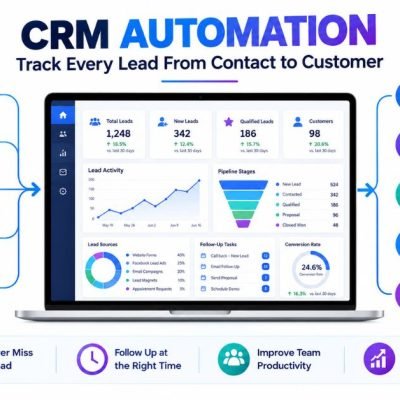
The process usually begins when a lead submits a contact form, requests information, books an appointment, or responds to a marketing campaign. Instead of relying on manual tracking, the CRM automatically captures the lead and places it into the appropriate stage of the sales pipeline.
From there, automated follow-up emails, reminders, and task assignments can keep the conversation moving forward. As interactions occur, the CRM records communication history, notes, and customer activity, providing a complete view of each prospect’s journey.
When a lead shows buying intent, the system can move them to the next stage, notify team members, and trigger additional actions such as appointment confirmations or proposal follow-ups. This creates a more consistent experience while reducing manual work.
The final stage occurs when the prospect becomes a customer. At this point, businesses can use CRM automation for onboarding, customer support, retention campaigns, and future sales opportunities.
By mapping each stage of the customer journey inside a CRM, businesses create a repeatable process that improves efficiency, increases visibility, and helps convert more leads into long-term customers.
Why Faster Response Times Create More Sales
Speed plays a critical role in the sales process. When potential customers contact a business, they are often actively searching for a solution and may be comparing multiple providers at the same time. The business that responds first frequently has a significant advantage.
Fast responses create a positive first impression. They show professionalism, reliability, and a willingness to help. Prospects are more likely to engage with businesses that acknowledge their inquiries quickly rather than leaving them waiting for hours or days.
Delayed responses can have the opposite effect. Even highly interested leads may lose momentum, continue researching alternatives, or choose a competitor who responds faster. Every hour that passes without communication increases the risk of losing the opportunity altogether.
CRM automation helps solve this problem by triggering immediate actions when a lead enters the system. Automated confirmations, follow-up emails, task notifications, and appointment scheduling links ensure prospects receive timely communication without requiring constant manual effort.
Faster response times not only improve customer experience but also increase conversion opportunities. When businesses consistently engage leads at the right moment, they build trust faster, maintain prospect interest, and create a smoother path from inquiry to sale.
Common CRM Mistakes Small Businesses Make
Investing in a CRM can improve efficiency and sales performance, but many small businesses fail to achieve the full benefits because of avoidable mistakes. In most cases, the problem is not the software itself but how it is implemented and used.
Manual Tracking
Many businesses continue relying on spreadsheets, notebooks, or scattered documents even after adopting a CRM. This creates duplicate work and prevents teams from benefiting from automation.
Spreadsheet Dependence
Spreadsheets may work when managing a small number of leads, but they become difficult to maintain as customer data grows. Important details can be overlooked, and tracking follow-ups becomes increasingly challenging.
Poor Lead Organization
Without clearly defined pipeline stages, leads often become disorganized. Businesses may struggle to identify which prospects require immediate attention and which opportunities are closest to converting.
Inconsistent Follow-Ups
One of the most common sales mistakes is failing to follow up consistently. Delayed responses and forgotten reminders can cause valuable opportunities to disappear before meaningful conversations take place.
By avoiding these common mistakes and using CRM automation effectively, small businesses can improve visibility, strengthen customer relationships, and create a more predictable sales process that supports long-term growth.
GoHighLevel is a CRM platform built specifically for businesses that rely on lead generation, customer communication, appointment scheduling, and sales pipeline management. Unlike traditional CRMs that focus primarily on contact management, GoHighLevel combines CRM functionality with marketing automation, sales funnels, email marketing, SMS communication, and workflow automation.
One of its biggest advantages is the ability to manage the entire customer journey from a single dashboard. Businesses can capture leads, track conversations, automate follow-ups, schedule appointments, and monitor sales opportunities without switching between multiple tools.
For service-based businesses such as agencies, consultants, coaches, home service providers, and local businesses, this centralized approach can significantly reduce administrative work while improving lead management and customer engagement.
Another strength is automation. Businesses can create workflows that automatically send messages, assign tasks, update pipeline stages, and trigger follow-up campaigns based on customer actions. This helps ensure no lead is overlooked and every prospect receives timely communication.
Pros
• All-in-one CRM and marketing platform
• Powerful automation and workflow capabilities
• Built-in sales pipelines and lead tracking
• Appointment scheduling and communication tools
• Suitable for growing service-based businesses
Cons
• Learning curve for new users
• More features than some small businesses may need
• Initial setup requires planning and customization
Best For
GoHighLevel is best suited for agencies, consultants, coaches, local service providers, and businesses that need CRM management, lead tracking, automation, and customer communication tools within a single platform.
HubSpot CRM for Growing Teams
HubSpot CRM is one of the most popular CRM platforms for businesses that want to improve customer management while building scalable sales and marketing processes. It offers a user-friendly interface, strong contact management capabilities, sales pipeline tracking, and marketing integrations that help teams stay organized as they grow.
One of HubSpot’s biggest advantages is its ease of adoption. Small businesses can start with core CRM features and gradually expand into marketing automation, customer service, reporting, and sales tools as their needs evolve. This flexibility makes it a practical choice for companies planning long-term growth.
The platform also provides centralized customer records, activity tracking, task management, and reporting dashboards that improve visibility across teams. By keeping customer data organized and accessible, businesses can make better decisions and deliver more consistent customer experiences.
Pros
• Easy-to-use interface
• Strong contact and pipeline management
• Scalable ecosystem of business tools
• Useful reporting and analytics features
Cons
• Advanced features require higher-tier plans
• Costs can increase as business needs grow
• Some automation tools are limited on lower plans
Best For
HubSpot CRM is best suited for growing teams, startups, and small businesses that want a scalable CRM platform capable of supporting future sales, marketing, and customer service expansion.
Zoho CRM for Budget-Conscious Businesses
Zoho CRM is a popular choice for small businesses looking for a feature-rich CRM solution without the higher costs often associated with enterprise platforms. It combines contact management, sales automation, lead tracking, workflow automation, and reporting tools into a system that can support growing teams while remaining budget-friendly.
One of Zoho CRM’s biggest strengths is its flexibility. Businesses can customize pipelines, automate repetitive tasks, and manage customer relationships based on their specific workflows. The platform also integrates with other Zoho applications, making it appealing for companies that want a connected business ecosystem.
For small businesses that need more than basic contact management but aren’t ready to invest in expensive CRM software, Zoho CRM offers a balanced combination of functionality and affordability. Its automation features can help reduce manual work while improving sales visibility and team productivity.
Pros
• Affordable pricing compared to many competitors
• Strong workflow automation features
• Customizable sales pipelines
• Wide range of integrations and business tools
Cons
• User interface can feel overwhelming initially
• Advanced customization may require setup time
• Some features have a learning curve for beginners
Best For
Zoho CRM is best suited for budget-conscious businesses, startups, and growing teams that need CRM automation, lead management, and sales tracking without committing to a high-cost enterprise platform.
Pipedrive CRM for Sales-Focused Companies
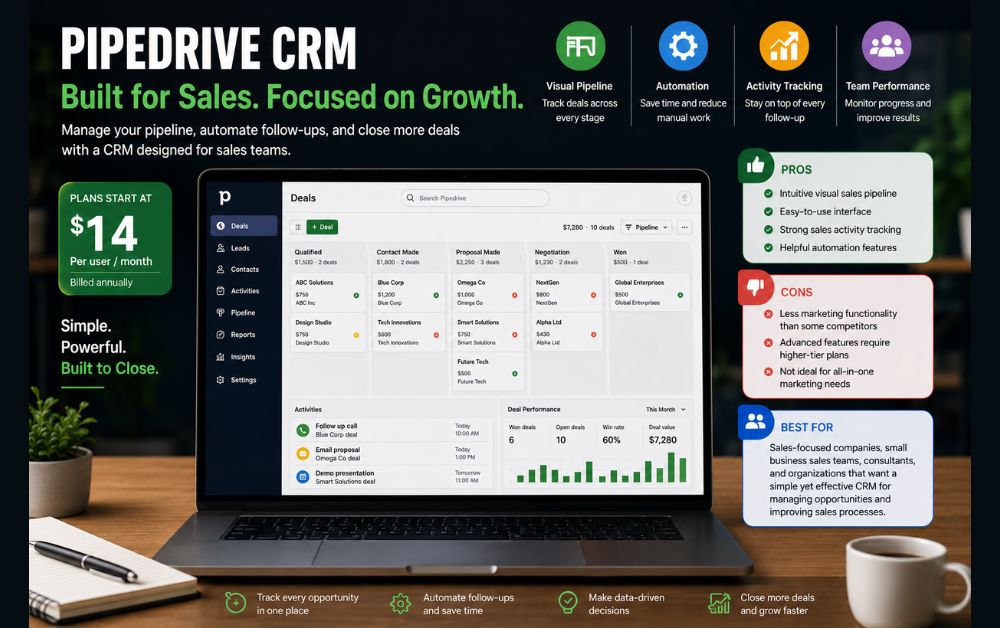
Pipedrive is a CRM platform designed primarily for businesses that want to improve sales performance and pipeline visibility. Unlike some CRM systems that focus heavily on marketing automation, Pipedrive places sales management at the center of the customer relationship process.
One of its biggest strengths is its visual sales pipeline. Users can easily track leads as they move through different stages of the sales process, making it simple to identify opportunities, prioritize follow-ups, and monitor team performance. This visibility helps businesses maintain a more organized and predictable sales workflow.
Pipedrive also includes automation features that reduce manual work. Tasks such as follow-up reminders, activity scheduling, lead assignment, and pipeline updates can be automated to improve efficiency and consistency.
The platform’s clean interface makes it relatively easy for teams to adopt, even if they have limited CRM experience. For businesses that prioritize sales activity and pipeline management, Pipedrive offers a focused solution without unnecessary complexity.
Pros
• Intuitive visual sales pipeline
• Easy-to-use interface
• Strong sales activity tracking
• Helpful automation features
Cons
• Less marketing functionality than some competitors
• Advanced features require higher-tier plans
• Not ideal for businesses seeking an all-in-one marketing platform
Best For
Pipedrive is best suited for sales-focused companies, small business sales teams, consultants, and organizations that want a simple yet effective CRM for managing opportunities and improving sales processes.
How to Choose the Right CRM for Your Business Type
There is no single CRM that works perfectly for every business. The right choice depends on how you generate leads, manage customers, and support growth. Understanding your business model can help you select a CRM that aligns with your daily operations and long-term goals.
Local Businesses
Local businesses often benefit from CRMs that combine lead management, appointment scheduling, customer communication, and follow-up automation. Fast response times and organized customer records are usually the highest priorities.
Agencies
Agencies typically manage multiple clients, campaigns, and sales opportunities simultaneously. They often require advanced pipeline management, workflow automation, reporting, and team collaboration features to maintain efficiency as client demands increase.
Consultants
Consultants rely heavily on relationship building and consistent follow-up. A CRM that tracks conversations, schedules meetings, stores client notes, and automates reminders can help maintain a professional and organized client experience.
Coaches
Coaches frequently manage discovery calls, client onboarding, appointment scheduling, and ongoing communication. CRM automation can simplify these processes while reducing administrative work and improving client engagement.
Startups
Startups should focus on affordability, ease of use, and scalability. The ideal CRM should help organize leads, automate follow-ups, and support growth without adding unnecessary complexity or excessive software costs.
The best CRM is not necessarily the platform with the most features. It is the one that solves your specific business challenges, improves productivity, and supports future growth as your customer base expands.
Signs You've Outgrown Spreadsheets and Manual Processes
Spreadsheets are often the starting point for managing leads and customer information, but there comes a stage when they begin limiting business growth. What once felt simple and cost-effective can eventually create inefficiencies, missed opportunities, and unnecessary administrative work.
One clear sign is when leads start slipping through the cracks. If follow-ups are frequently delayed, customer information is difficult to locate, or sales opportunities are being missed, manual systems may no longer be sufficient.
Another warning sign is spending too much time on repetitive tasks. Manually updating records, tracking conversations, setting reminders, and organizing customer data can consume valuable hours each week that could be spent serving customers or generating revenue.
Poor visibility is also a common problem. When information is spread across spreadsheets, emails, and multiple applications, it becomes difficult to understand where prospects are in the sales process or identify areas that need attention.
As businesses grow, these challenges often become more noticeable. CRM automation provides a scalable solution by centralizing customer data, automating routine tasks, and creating a more organized sales process. If managing leads feels increasingly complicated, it may be a sign that your business has outgrown spreadsheets and manual workflows.
FAQs
CRM automation uses software to automate repetitive tasks such as lead capture, follow-ups, appointment reminders, task management, and customer communication. It helps businesses save time while improving efficiency.
Yes. Even small businesses can benefit from CRM software because it centralizes customer information, improves lead tracking, and reduces the risk of missed opportunities.
A CRM can improve sales by organizing leads, automating follow-ups, tracking customer interactions, and helping teams respond faster to potential customers.
Many businesses choose beginner-friendly platforms such as HubSpot CRM or Pipedrive because they offer simple interfaces and relatively easy setup processes.
Businesses should consider a CRM when lead volume becomes difficult to manage manually, follow-ups are being missed, or customer information is spread across multiple systems.
The best CRM depends on your business type, budget, growth plans, and automation requirements. Focus on solutions that match your workflow and can scale as your business grows.
Final Thoughts: Investing in CRM Automation for Long-Term Growth
Customer relationships are one of the most valuable assets any business can build. As lead volume increases and customer interactions become more complex, relying on spreadsheets and manual processes often creates inefficiencies that limit growth.
CRM automation helps businesses create structure, improve consistency, and ensure that every lead receives proper attention throughout the customer journey. Instead of spending hours on administrative tasks, teams can focus on building relationships, closing sales, and delivering better customer experiences.
The right CRM is not simply a tool for storing contact information. It becomes a central system for managing leads, tracking opportunities, automating follow-ups, and improving visibility across the entire sales process.
Whether you’re a local business, startup, consultant, coach, or growing team, investing in CRM automation can help create a more scalable and predictable business model. The sooner businesses build efficient systems, the easier it becomes to support growth without dramatically increasing workload.
Long-term success is often driven by consistency. A well-implemented CRM provides the processes and automation needed to maintain that consistency while helping businesses improve customer relationships, increase productivity, and create sustainable growth over time.

Find Your Ideal CRM
Ideal for Service Businesses
If your business relies on appointments, lead management, customer communication, and ongoing follow-ups, consider a CRM that combines automation with pipeline management. Platforms designed for service businesses can help streamline operations while improving customer experiences.
Smart Choice for Growing Teams
Businesses experiencing steady growth should prioritize CRM solutions that offer scalability, team collaboration features, and advanced reporting. Choosing a platform that can grow alongside your business can reduce future migration challenges.
Best Fit for Budget-Conscious Businesses
If affordability is a priority, focus on CRM platforms that provide essential automation features without unnecessary complexity. The goal is to improve efficiency while maintaining a sustainable software budget.
Strong Option for Sales-Focused Businesses
Companies that depend heavily on lead conversion and pipeline visibility should look for CRM systems with strong sales tracking, activity management, and forecasting capabilities. A well-structured sales process often leads to more consistent results and better decision-making.
The most effective CRM is not necessarily the one with the most features—it’s the one that fits your business processes, supports your goals, and helps your team work more efficiently every day.