
When I first started my online business journey, I thought simply creating a website would be enough.
I spent weeks designing pages, adding blog posts, and trying different plugins.
But after months of work, I realized something important:
Visitors were coming to my site, but nobody was taking action.
People were reading content and leaving without subscribing, messaging me, or buying anything.
I needed a system that could guide visitors step-by-step instead of depending on random clicks.
That is when I started learning about sales funnels.
At first, I believed funnel building required coding knowledge, expensive software, and a professional marketing team.
Most YouTube tutorials made everything look extremely technical and complicated.
As a beginner running a small online business, I needed something simpler.
The Problems I Faced Initially
Before using Systeme.io ↗, I tried building funnels using WordPress plugins and multiple tools together.
My setup looked something like this:
- WordPress for pages
- Elementor for design
- Separate email plugin
- Another plugin for popups
- SMTP tools for email delivery
- Third-party automation tools
Everything worked separately, but nothing worked smoothly together.
Major Problems I Faced
1. Too Many Plugins
Every plugin created new issues:
- slow loading speed
- conflicts
- update problems
- broken layouts
2. Expensive Monthly Costs
I was paying for:
- email software
- page builder tools
- automation tools
The total monthly cost became difficult for a beginner business.
3. Technical Errors
Sometimes forms stopped working.
Sometimes emails were not delivered.
Sometimes landing pages broke after updates.
I spent more time fixing problems than growing my business.
Why Traditional Funnel Building Failed for Me
The biggest issue was complexity.
Most funnel tutorials are designed for advanced marketers, not beginners.
I realized that many online business owners are stuck in the same situation:
- too many tools
- too much confusion
- no clear system
I wanted one platform where I could:
- build pages
- collect leads
- automate emails
- track results
without hiring developers or designers.
That is when I discovered Systeme.io Official Website ↗.
How Systeme.io Solved My Problem
The biggest reason I switched was simplicity.
Instead of connecting five different tools, Systeme.io ↗ allowed me to manage everything from one dashboard.
I could:
- create funnels
- build landing pages
- automate follow-up emails
- collect leads
- create workflows
inside a single platform.
It felt much easier compared to my old setup.
If you are still comparing funnel tools, you can also read my guide on
Affordable Sales Funnel Builders Using Systeme.io ↗
Step-by-Step: How I Built My First Funnel
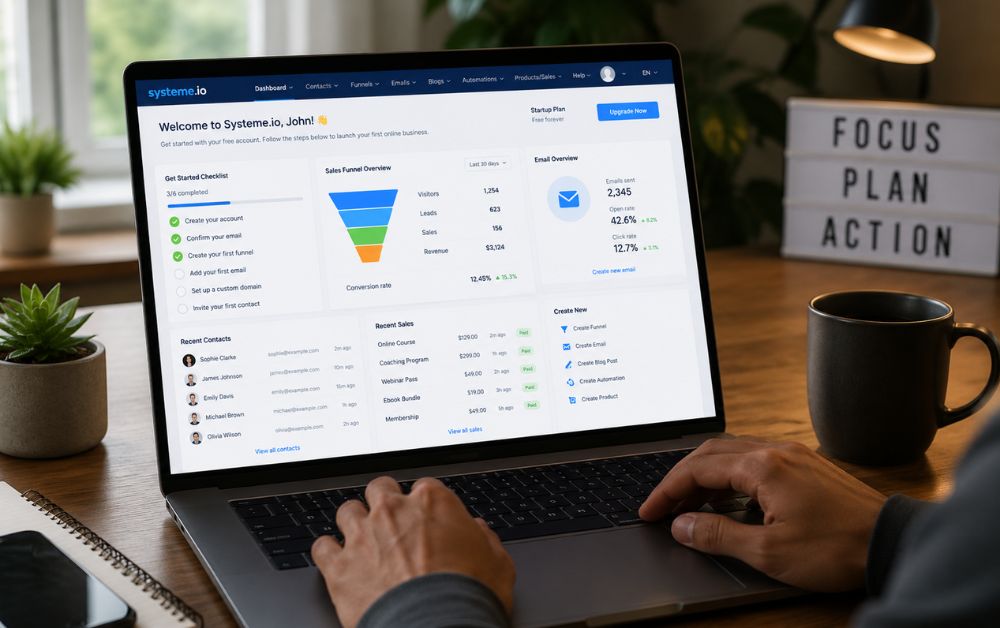
Step 1: Creating a Free Systeme.io Account
The setup process was surprisingly simple.
After signing up, I immediately got access to:
- funnel builder
- email automation
- workflows
- contacts dashboard
without installing anything.
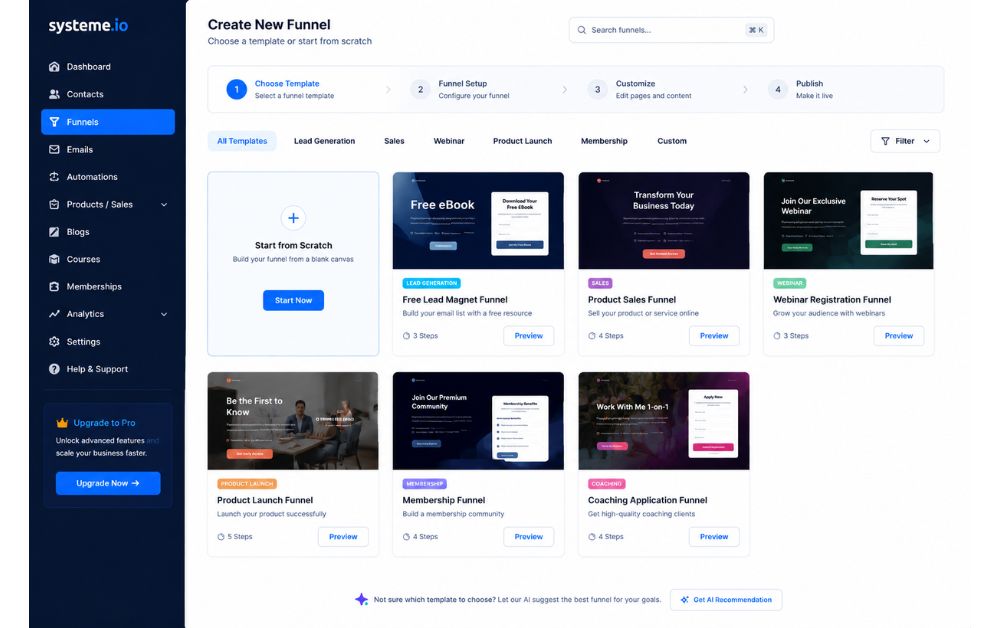
Step 2: Choosing a Funnel Template
Instead of building from scratch, I selected a pre-designed funnel template.
This saved a huge amount of time.
I customized:
- colors
- headings
- CTA buttons
- images
to match my business.
Step 3: Creating My Landing Page
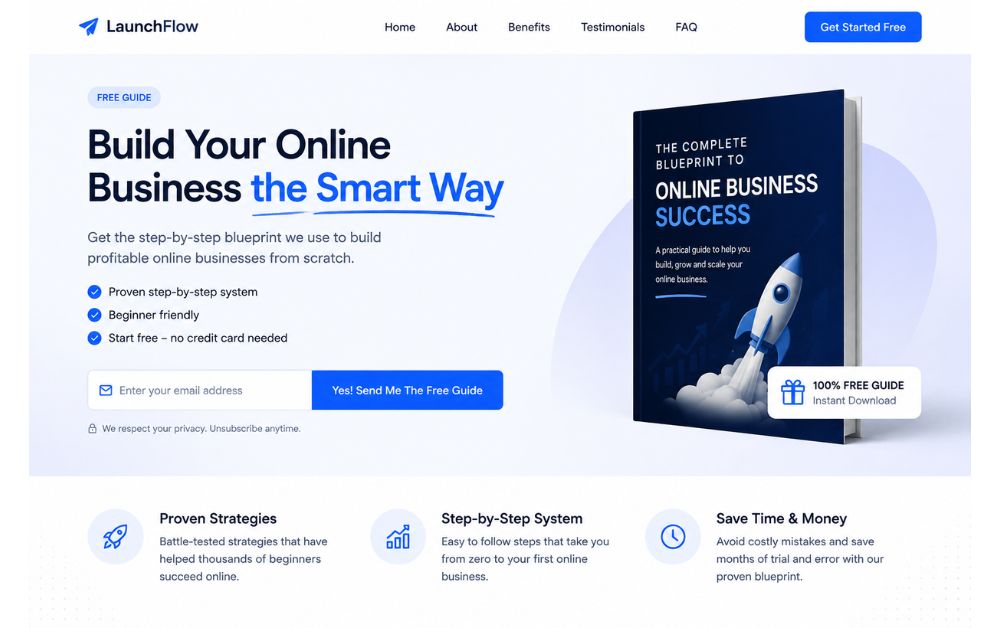
I focused on one simple goal:
collecting email subscribers.
My landing page included:
- headline
- short benefits
- call-to-action button
- email form
I avoided unnecessary sections because beginners often make pages too complicated.
Email Automation Setup
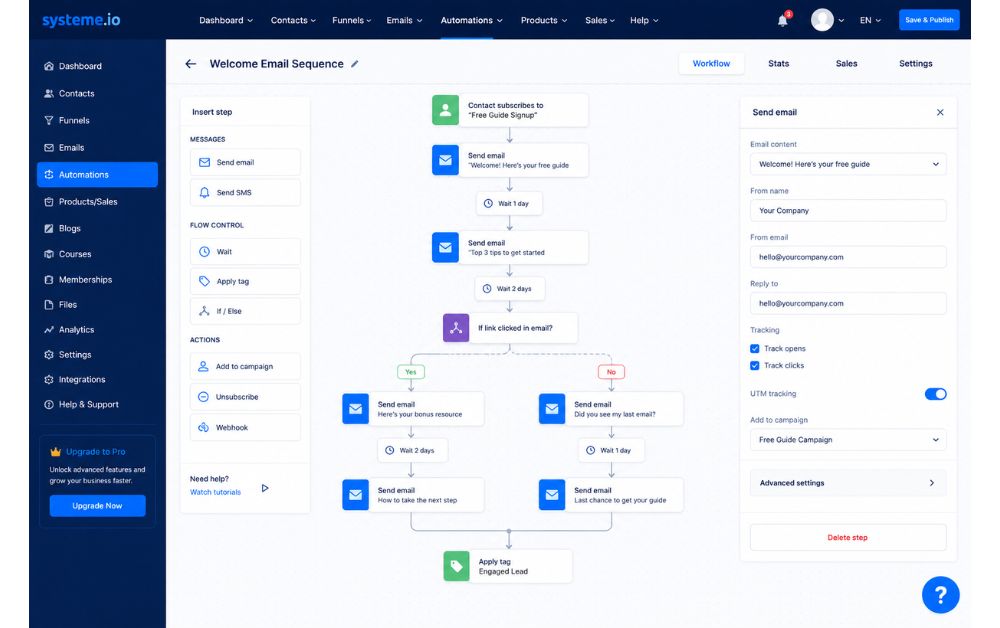
After collecting emails, I wanted visitors to receive automatic follow-up messages.
This was one of the biggest improvements compared to my previous setup.
Using Systeme.io workflows ↗, I created:
- welcome email
- follow-up sequence
- lead nurturing emails
without coding anything.
Landing Page Design Tips That Helped Me
I made several mistakes initially.
Later, I learned that simple pages convert better.
What Improved My Funnel
Short Headlines
Visitors should understand the offer immediately.
One Clear CTA
Too many buttons confuse users.
Mobile-Friendly Design
Most visitors came from mobile devices.
Fast Loading Speed
Simple designs loaded faster and reduced bounce rates.
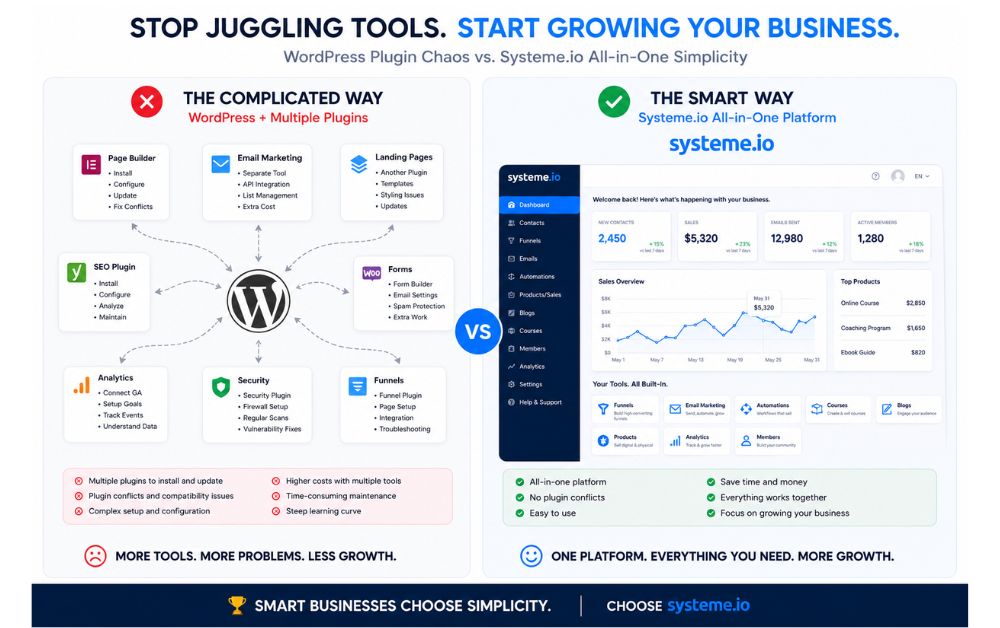
Comparison: Old Setup vs Systeme.io
| Feature | Old WordPress Setup | Systeme.io |
|---|---|---|
| Multiple Plugins | Yes | No |
| Technical Setup | Complex | Simple |
| Email Automation | Separate Tool | Built-in |
| Funnel Builder | Extra Plugin Needed | Included |
| Maintenance | High | Low |
| Beginner Friendly | Difficult | Easy |
Mistakes I Avoided
1. Overdesigning Pages
Fancy animations do not guarantee conversions.
Simple layouts performed better for me.
2. Using Too Many Tools
Too many integrations created unnecessary stress.
3. Ignoring Email Follow-Ups
Most conversions happened after follow-up emails, not immediately.
My Results After Switching
After simplifying my setup:
- my pages loaded faster
- lead collection improved
- email automation became easier
- I spent less time fixing technical issues
Most importantly, I finally had a system that felt manageable.
For small business owners and beginners, simplicity is often more powerful than complicated setups.
Pros & Cons of Systeme.io
Pros
- Beginner friendly
- Affordable pricing
- Funnel builder included
- Email automation built-in
- Easy workflow setup
- No coding required
Cons
- Fewer advanced design options compared to some premium tools
- Some templates look basic
- Advanced marketers may want more customization
FAQs
Yes. It is one of the easiest funnel platforms for beginners because everything is inside one dashboard.
Yes. The drag-and-drop builder makes funnel creation simple. involvement.
In many cases, yes. Combining multiple WordPress plugins and email tools often costs more.
My first simple funnel took around one day to complete.
Absolutely. It works well for creators, freelancers, coaches, and small online businesses.
Final Thoughts
Building my first sales funnel felt overwhelming initially because I believed online marketing required advanced technical skills.
But after simplifying my process and using one integrated platform, everything became easier to manage.
If you are struggling with:
- plugin overload
- complicated automation
- slow websites
- disconnected tools
then simplifying your workflow may help more than adding extra software.
For beginners and small business owners, a clean and manageable system is often the smartest long-term strategy.
Start Building Smarter
And if you want more beginner-friendly funnel ideas, check this guide:
7 Affordable Sales Funnel Builders Using Systeme.io ↗